
Open Harness
Your AI tools, in one conversation. Compare perspectives, approve a plan and inspect the result.
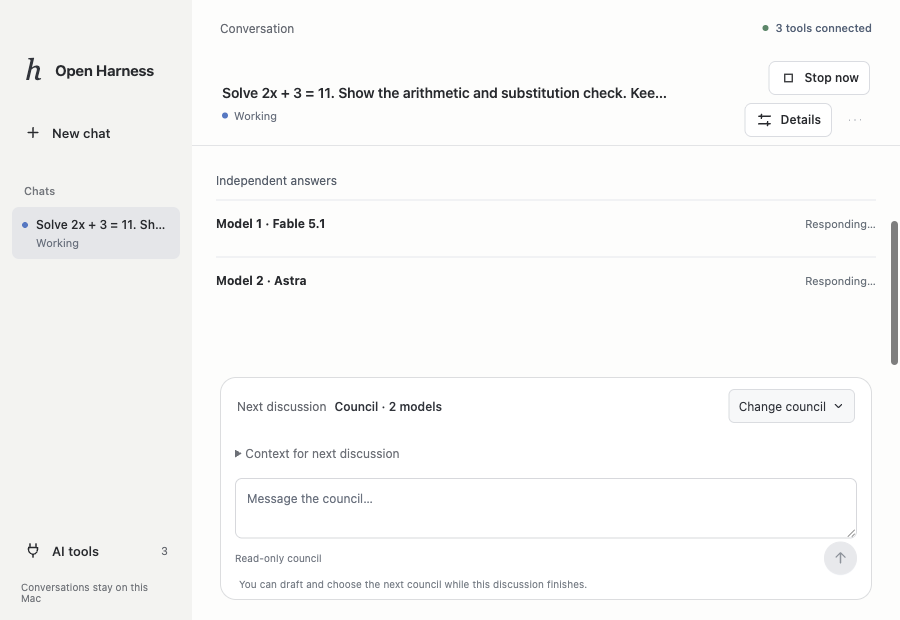
One conversation. Different perspectives.
Moving between AI apps means repeating the brief and carrying answers back and forth. Open Harness keeps the recorded discussion together and gives each model a clear role.
You bringA question or a project to build.
You inspectEach answer, review and verification result.
Discuss first. Build with checks.
Choose Brainstorm for a model discussion, or Plan & build when you want code changes.
Compare perspectives
Choose 2–5 models. They answer independently, then review a shared proposal.
Approve the plan
A planner and reviewer resolve the proposed approach before implementation begins.
Build in the project
An eligible coding connection makes changes in the selected project.
Verify and inspect
A separate command checks the result. An inspector reviews the changes and evidence.
The work stays inspectable.
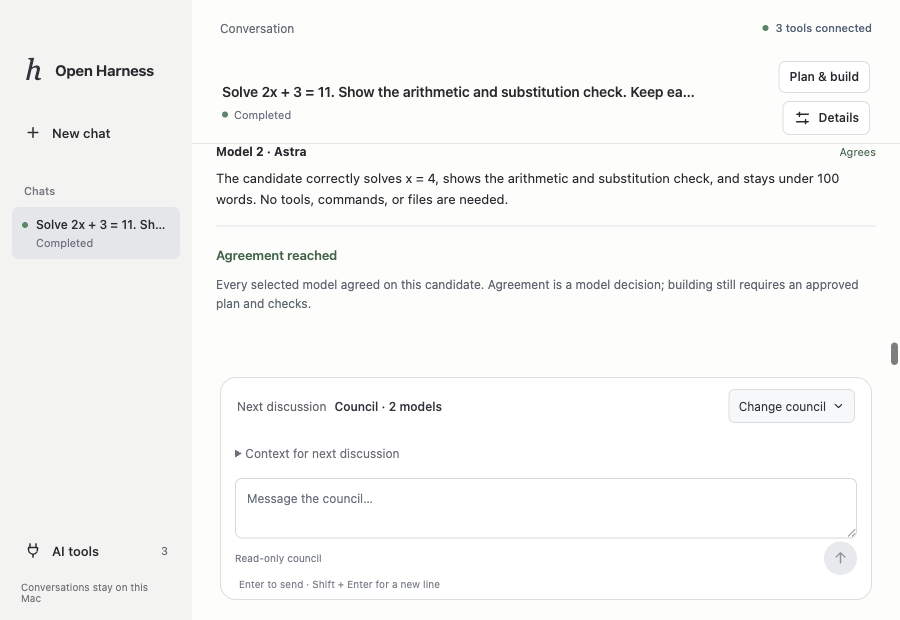
A recorded Claude–Codex build produced a small statistics program, passed seven independent checks and completed a fresh inspection. The council example shown here reached agreement on a checked equation.
These are working examples from the prototype, not a claim that every model or project will succeed.
Different connections. Clear responsibilities.
- Claude Code + Codex
- Planning, review and building through their installed runtimes. Codex also runs the separate verification command.
- Google Antigravity
- A file-building path has been tested with separate Codex verification. Unrestricted terminal access is not enabled.
- Grok
- A live text conversation is verified. Coding-agent capability is not yet established.
What happens when a model reaches its limit?
Recorded context can move to another model through an explicit handoff. Optional automatic fallback keeps the same model on another eligible connection at safe read-only points. Interrupted builds pause, and council discussions stop on provider failure. Automatic cross-provider switching when subscriptions expire is not implemented.
Where the work runs and what leaves the Mac
The workspace and recorded history are local. Selected model requests still go through the connected provider, so this is not fully offline AI. Each connection has its own permissions, account limits and tool capabilities. Public distribution and broader provider support remain in development.
Need an agent workspace for your team?
Tell us which tools you use and where handoffs break down. We will discuss the workflow and the scope of a suitable implementation.