We set up a language model on your own server and fine-tune it on your business: your products, your prices, your way of working. Your data stays in your company. There are no per-request fees, and you don’t depend on someone else’s cloud.
A local model at work.
Your team asks the company assistant. The answer comes from the model on your own server, and the server log shows that every request stays inside the company.
Illustration of a local model at work · sample data
Company assistantInternal app · uses your own model
Employee · Company assistantWhat is our warranty on brake pads?
Your local model · gemma4:31b24 months or 40,000 km, whichever comes first.
Source: Service manual, page 12
Website enquiry · n8n workflowCan you service our two vans on Saturday?
Your local model · gemma4:31bYes. Saturday has two free slots, 9:00 and 11:00. Draft reply ready, waiting for your OK.
Source: Opening hours and price list 2026
Supplier invoice · n8n workflowCheck invoice 4471 against the order.
Your local model · gemma4:31bAmount and VAT match the order. The delivery date differs by one day, so it goes to a person.
Source: Order 4471 and the invoice PDF
Ask about a product, an order or a document↑
Company server · Ollama
$ ollama ps
NAME          ID              SIZE     PROCESSOR    CONTEXT    UNTIL
gemma4:31b    3f1e9c27a0b4    21 GB    100% GPU     32768      Forever

$ ollama serve
Listening on 10.0.4.10:11434 (version 0.12)
[GIN] 2026/10/12 - 09:14:03 | 200 |   1.9s | 10.0.4.21 | POST "/v1/chat/completions"
Model
gemma4:31b · 4-bit
Hardware
One workstation GPU with 32 GB
Address for your tools
http://ai.internal:11434/v1
Cloud features
Off
Data leaving your network
None
Every request comes from an address inside the company (10.0.x.x) and is answered by the model on your own server. Times and names are sample data.
What is Ollama?
Ollama is free, open-source software that runs an open AI model on your own Mac, PC or server. Your apps talk to it the same way they talk to OpenAI, so nothing has to be rebuilt. With its cloud features off, questions and answers stay on your machine.
When many people use it at once, the same models run on vLLM or SGLang on a Linux server with NVIDIA GPUs. We pick the runtime for your load.
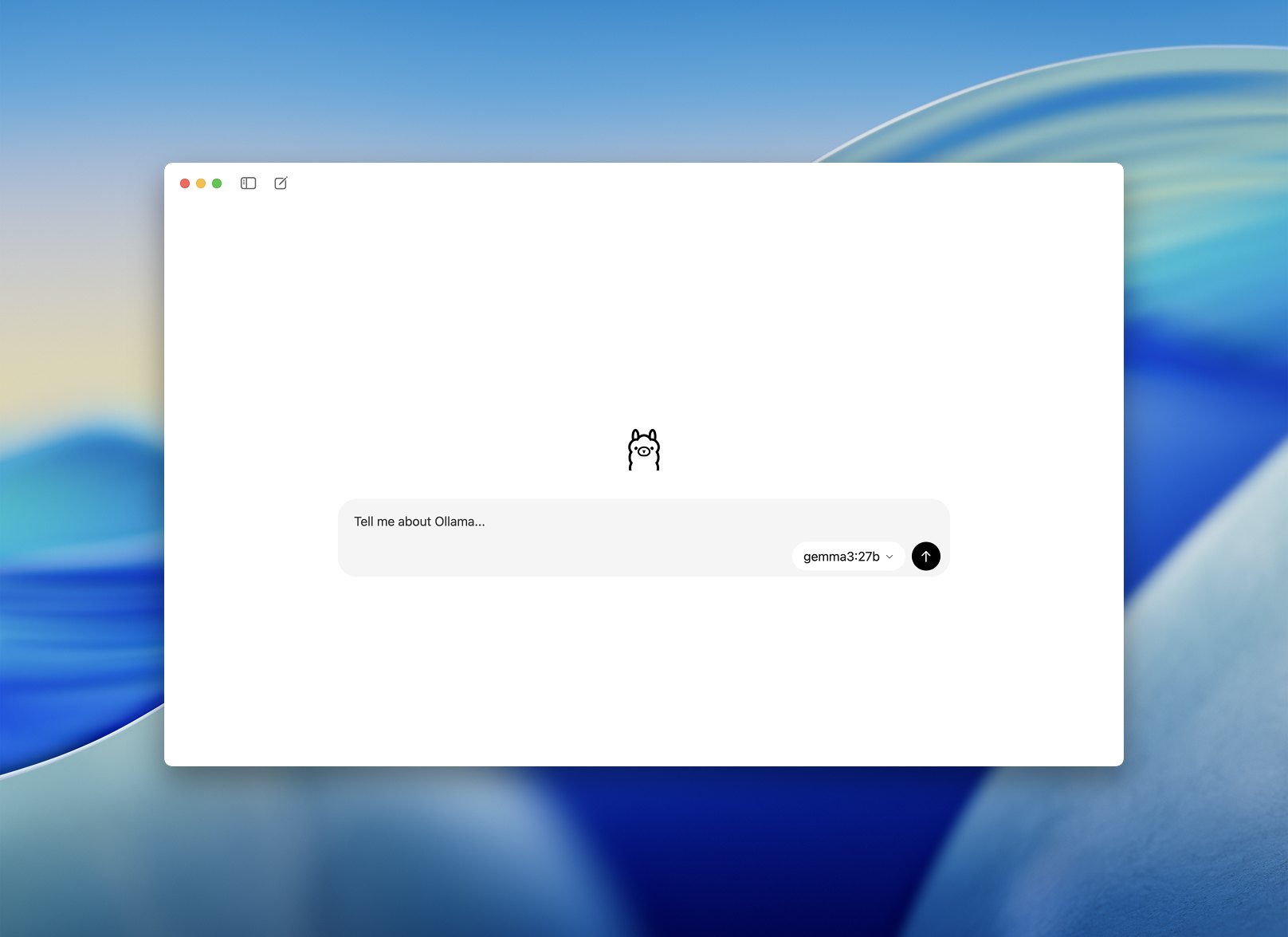
Picture: the official Ollama app, ollama.com. No partnership implied.
Start with a task your team knows.
These examples show proposed setups. Model training is a service we scope for your company, not a claim of a completed customer deployment.
Connects approved inputs, validation and the next action.
Where it runs and where data goes
The proposed local setup keeps model inference and the selected knowledge store on your workstation or company server. Every external connector is listed separately.
Your team stays in control
Your team edits and approves the output. Publication is a separate, permissioned action.
When something goes wrong
Missing product facts are flagged for completion, not filled with invented specifications.
Give repeated document work a predictable output.
The model proposes structured fields, and application checks decide what needs review.
Problem
Copy names, dates and references by hand, then fix inconsistent formats.
What goes in
Supported documents and the fields your workflow needs.
What comes out
A structured draft record, with missing or uncertain values visible.
The full workflow, step by step
The complete workflow
1Read document
Parse or recognise text using the agreed local components.
2Extract fields
Ask the model for the defined output schema.
3Validate
Check types, required values and references.
4Review exceptions
Route uncertain records to the responsible person.
Connects approved inputs, validation and the next action.
Where it runs and where data goes
The proposed local setup keeps model inference and the selected knowledge store on your workstation or company server. Every external connector is listed separately.
Your team stays in control
Your team resolves exceptions before records trigger important downstream actions.
When something goes wrong
An unreadable document goes to a review queue. A valid JSON shape alone is not proof that its values are correct.
Find the answer in your company’s own information.
A scoped assistant retrieves relevant material and returns an answer with source references.
Problem
Search shared folders and ask colleagues where the current guidance lives.
What goes in
Approved policies, product documents or internal guidance with access rules.
What comes out
An answer linked to the source material, or an honest request for help.
The full workflow, step by step
The complete workflow
1Index documents
Organise the documents and preserve their access boundaries.
2Retrieve context
Find material relevant to the user’s permitted question.
3Prepare answer
Use the local model with the retrieved context.
4Check source
Let the user inspect the cited source before acting.
Connects approved inputs, validation and the next action.
Where it runs and where data goes
The proposed local setup keeps model inference and the selected knowledge store on your workstation or company server. Every external connector is listed separately.
Your team stays in control
Document owners keep the sources current. The user can inspect the supporting reference.
When something goes wrong
When the source does not support an answer, the assistant should say so and route the question onward.
Which models, on which hardware.
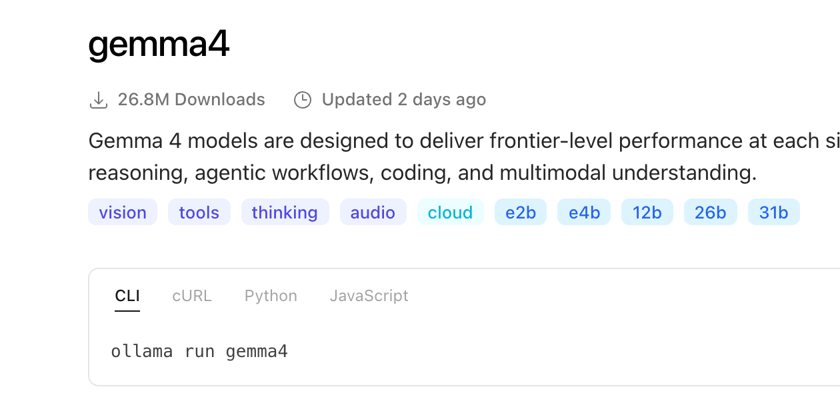
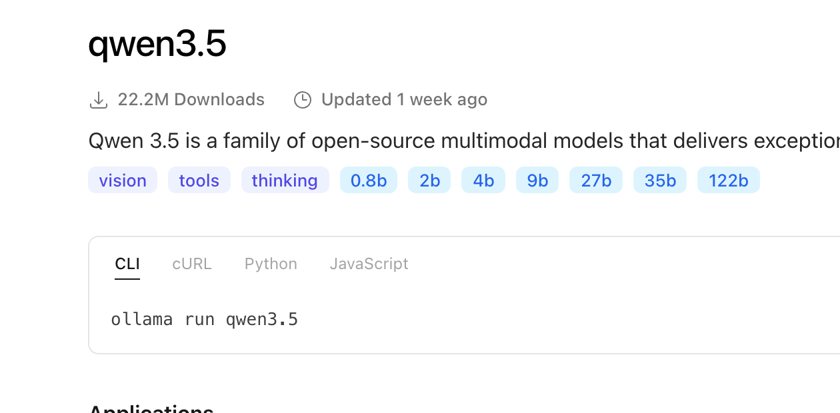
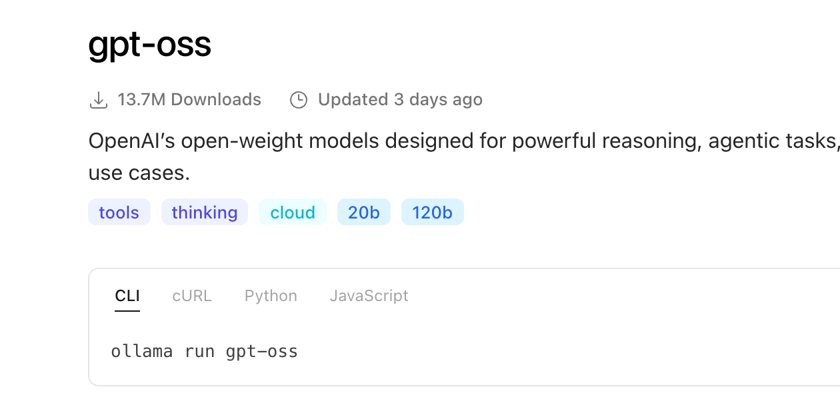
Open-weight models you can download and run yourself. These are the families we test first. The figures come from the official model cards and the Ollama library, checked on 11 October 2026.
Gemma 4
Google DeepMind
E2B
E4B
12B
26B A4B
31B
Licence
Apache 2.0
Context
128K on E2B and E4B, 256K on 12B, 26B A4B and 31B
Features
Text and image input, audio on E2B, E4B and 12B. Over 140 languages. The small sizes are made for laptops, the large ones for consumer GPUs and workstations.
Good for
Drafts, document fields and answers from company documents with the source. A good first candidate for a German-speaking team.
Runs on
12B in about 16 GB. 31B at 4-bit on one 24 to 32 GB workstation GPU.
Qwen3.5 · 3.6 · 3.8
Alibaba
9B
27B
35B-A3B
122B-A10B
Licence
Apache 2.0
Context
262,144 tokens on the 27B models of 3.5 and 3.8, extensible to about 1M
Features
Image input and 201 languages on 3.5, agentic coding on 3.6, a thinking mode on 3.8. 35B and 122B are mixture-of-experts models.
Good for
Coding help, agents that use tools, and multi-step tasks where the model should think before it answers.
Runs on
9B in about 16 GB. 27B and 35B-A3B at 4-bit on one workstation GPU. 122B-A10B needs 48 to 96 GB.
gpt-oss
OpenAI
20B
120B
Licence
Apache 2.0
Context
128K (Ollama listing; the model card gives no figure)
Features
Reasoning effort low, medium or high, function calling and structured outputs. 20B has 3.6B active parameters, 120B has 5.1B.
Good for
Agents that use tools and checks, document fields in a fixed format, and tasks that need a short reasoning step.
Runs on
20B within 16 GB of memory. 120B on one 80 GB GPU.
Known options with their licence notes
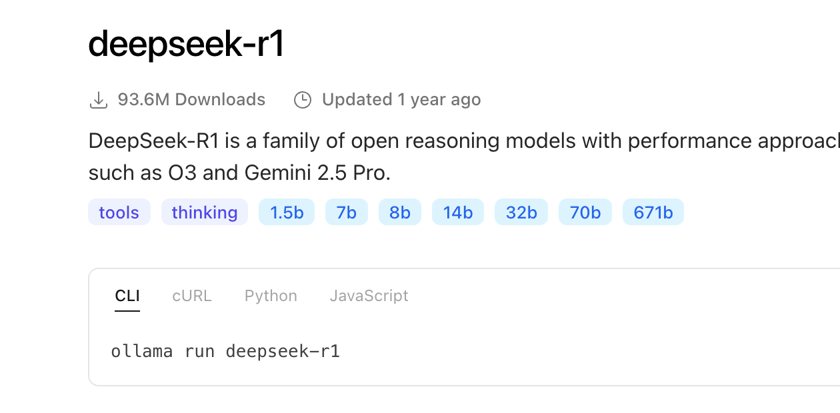
DeepSeek-R1
DeepSeek
1.5B to 70B
671B
Licence
MIT
Context
128K
Features
Open reasoning model, 671B total with 37B active. The small sizes are distilled Qwen and Llama models.
Good for
Step-by-step checks and comparisons where the reasoning should be visible.
Runs on
The distilled sizes fit the first tiers. The 671B is a multi-GPU server model.
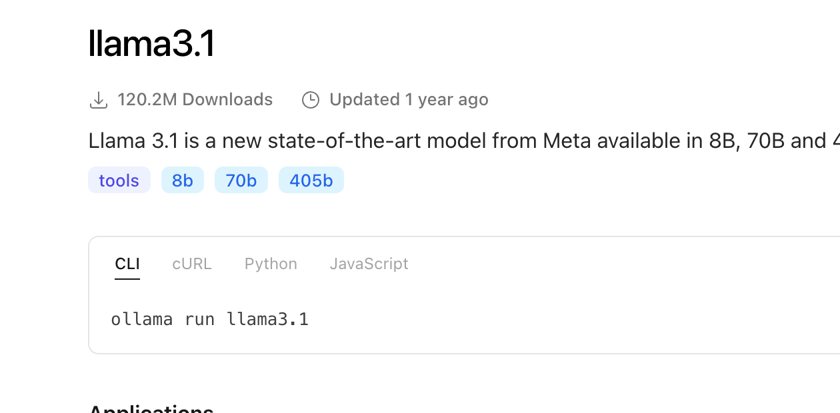
Llama 3.1
Meta
8B
70B
405B
Licence
Llama community licence, read it before commercial use
Context
128K
Features
Text in, text out. Supported languages include English and German.
Good for
A widely used baseline for drafts and summaries.
Runs on
8B in about 16 GB at 4-bit. 70B at 4-bit needs about 40 to 48 GB. 405B is a multi-GPU server model.
Sizes are the tags in the Ollama library. A3B, A4B and A10B name the active parameters of a mixture-of-experts model. Memory needs depend on quantisation, context length and runtime, so every figure here is approximate. German quality, licence and tool support are tested per project, and the handover names the measured value.
Four hardware tiers, at 4-bit.
What a company already owns or can buy, and which models fit on it. One GPU or one Mac with enough memory is usually the whole server.
About 16 GBLaptop or small desktop
A 16 GB Mac mini, a laptop, or a graphics card with 16 GB.
Fits at 4-bit
gpt-oss 20B
Gemma 4 12B
Qwen3.5 9B
Llama 3.1 8B
7B to 14B at 4-bit
Good for
A first test, or one small workload for one team.
24 to 32 GB GPUor a Mac with 32 to 64 GB
A workstation with one RTX 4090 or 5090, or a Mac with 32 to 64 GB unified memory.
Fits at 4-bit
Qwen3.6 or 3.8 27B, about 16 GB
Gemma 4 31B
Qwen3.5 35B-A3B, about 22 GB
Good for
The usual company server for a small team: the 27B to 35B class.
48 to 96 GBTwo GPUs, one 80 GB GPU or a Mac Studio
Two workstation GPUs, a server with one 80 GB GPU, or a Mac Studio with 96 to 192 GB unified memory.
Fits at 4-bit
gpt-oss 120B, 80 GB
Qwen3.5 122B-A10B, about 70 GB
70B dense at 4-bit, 40 to 48 GB
Good for
Larger models, or several teams using the server at once.
Multi-GPU serverSeveral data-centre GPUs
A rack server with several data-centre GPUs.
Fits at 4-bit
DeepSeek-V4
Qwen3.8 2.4T
Llama 3.1 405B
Good for
The frontier open weights. Rarely sensible for a small company.
The figures are approximate: quantisation, context length and runtime change them. The handover names the measured value for your machine.
How it is set up.
One endpoint on your network, the tools you already use connected to it, cloud modes off, and an adapter only where tests justify it.
01
Serve the model
Ollama or vLLM run the model behind an OpenAI-compatible endpoint on the company network. Ollama for one machine; vLLM or SGLang on a Linux server with NVIDIA GPUs when many people use it at once.
OllamavLLMSGLang
02
Connect your tools
n8n, OpenClaw, Hermes Agent and your internal apps call that endpoint instead of a cloud API. The address changes, the workflows stay.
n8nOpenClawHermes AgentInternal apps
03
Switch the cloud off
The runtime’s cloud mode stays off. Who may reach the endpoint, what is logged and how backups run are configured and written down.
Cloud modeAccessLogsBackups
04
Fine-tune where it pays
Where tests justify it, a LoRA or QLoRA adapter is trained on an owned or rented GPU and loaded on your server. Facts still come from your documents.
LoRAQLoRAHugging Face TRL and PEFT
Training can run on a different machine than everyday use. Where the training data is prepared and where the job runs is agreed before anything is transferred.
What it does for your company.
Four everyday situations from our company film, shown as illustrations. Each one runs on the same local model, and a person approves before anything is sent, posted or booked.
What is our warranty on brake pads?24 months or 40,000 km.Answer from your own documentsService manual, p. 12
Answers from your own manuals
A new colleague asks about the warranty and gets the answer from your service manual, with the page it came from.
Source
Approved manuals and policies
A person
Checks the cited page before acting on it
InvoiceOrderMatches order #4471Supplier, amount, date, VAT filled inReady for your accounting
Invoice fields, checked against the order
A supplier invoice is read, its fields are compared with your order, and the record is prepared for your accounting.
Source
The invoice and your order data
A person
Confirms mismatches before anything is posted
22:04Can you manage our two buildings from March?07:30Reply drafted from price list 2026In your tone, from approved factsWaiting for your OK
Replies in your tone, from your prices
An enquiry arrives at night. By the morning a reply based on your own price list and approved facts is waiting for you.
Source
Your price list and approved text examples
A person
Edits and sends; the draft never sends itself
2 new enquiries, replies drafted. Send?OpenClaw, via your modelYou deciden8n: new email, your model, CRM updated
Agents for the routine steps
OpenClaw, Hermes Agent and n8n use the model for routine steps: sorting, drafting, updating the record, and asking you before the risky one.
Source
Your inbox, calendar and CRM, with permissions
A person
Approves sending, booking and spending
See where the work runs.
A company server can hold the selected model, knowledge index and workflow controls. Your team accesses it through an agreed interface.
Your teamAn authorised request from the internal interface.
Company knowledgeApproved documents and access-controlled retrieval.
Local model serverA compatible model runs through Ollama or vLLM.
Checked outputApplication validation, human review and permitted tools.
What lives where?
Documents + search index
Company storage and an access-controlled index on the selected server.
Model weights + adapters
Versioned files on the inference machine; only approved versions are loaded.
Training examples
A separate, restricted dataset. The training location is agreed before transfer.
Logs + backups
Named storage, limited access and agreed retention. Sensitive fields can be excluded.
Outbound connections
Each external tool has a listed destination, shared fields and purpose.
A workstation suits an agreed small workload. A company server supports shared access. A hybrid setup adds only the external services you approve.
Local operation
Model inference and the agreed knowledge store stay on your selected hardware, with the runtime’s cloud models switched off. Network access, updates, logs and backups still need explicit configuration.
A documented hybrid setup
A local workflow may use an external model, email service or CRM. We show which fields leave the server, where they go and whether any fallback is enabled.
Your source permissions, storage, retention, logging and operator access are agreed before business data is connected. Local installation alone does not guarantee a private end-to-end workflow.
Four ways a model can work for you.
Most setups combine two or three. We test the simplest one that does the job first.
Your serverModel
Run a model on your hardware
The model answers on your workstation or company server.
Changes the model
No
Uses
Your request and instructions
Good for
Drafts, summaries, sorting
ModelSource
Connect approved company knowledge
Relevant passages are looked up when a question arrives. The answer points to its source.
Changes the model
No
Uses
Approved documents and a search index
Good for
Current policies, product facts
AdapterModel
Fine-tune for one defined task
Curated examples teach a format, tone or set of labels. Facts still come from documents.
Changes the model
Yes, through a tested adapter
Uses
Approved training examples
Good for
A consistent output format
ModelYou approveCRM
Connect permitted business tools
The model may use the tools you allow, such as a calendar or CRM. Risky actions wait for a person.
Changes the model
No
Uses
Tool permissions and an approval rule
Good for
Preparing the next step
Running a model locally keeps inference on your hardware. Whether the whole workflow stays private depends on every connected tool, which we list before setup.
Start small. Grow when it works.
Three ways to structure the work. They are not fixed packages or prices.
1
Evaluate
Choose one useful task and test suitable models on it.
Agree the task and what a good result looks like
Test candidate models on your approved examples
Compare quality, speed, licence and hardware needs
Gemma 4, Qwen3.5 to 3.8 and gpt-oss are the candidate families we test first. DeepSeek-R1 and Llama 3.1 are known options with their own licence notes. None is a universal recommendation. We compare task quality in German and English, licence, supported tools, model size and memory needs on your hardware. The handover names the exact model, format and quantisation tested.
Training or company knowledge?
Fine-tuning changes model behaviour using examples. Retrieval-augmented generation (RAG) supplies relevant documents at request time. We start with a baseline, then choose instructions, retrieval, adaptation or a combination according to the results.
What gets configured?
Model and adapter versions, instructions, context limits, output formats, permitted tools, source access and logging. SFT with LoRA or QLoRA can adapt a suitable model when curated examples justify training. We keep evaluation data separate from training data.
Where does training happen?
Training and everyday inference can need different hardware. We agree where training data is prepared, where the training job runs and how the model or adapter reaches your server. Cloud training or external model fallback is never implied by the word local.
How is the result checked?
Compare the baseline and adapted setup on held-out tasks. Check useful answers, source support, output schemas, tool choices, failure handling, response time and resource use. A smaller or quantised model must still meet the agreed quality needs.
Will it reduce API costs?
Local inference can reduce recurring model API usage for suitable workloads. We compare hardware, setup, training, electricity and maintenance with the expected API use. Connected cloud tools can still charge fees. Savings depend on volume, model quality and utilisation.